100 Days of AI: The Ultimate Generative AI Learning Marathon and Practical Challenges

Master generative AI through a 100-day immersive challenge covering prompt engineering, model architecture, and real-world deployment. This comprehensive catalog provides daily practical tasks to transform beginners into AI experts.

100 Days of AI: The Ultimate Generative AI Learning Marathon and Practical Challenges
Archive_Ref_69666a
Verified Document — 2026
0%
Status
Share
  • 1.

    Day 1: Understanding the LLM Landscape

    Explore the history and architecture of Large Language Models (LLMs). Identify the key differences between transformer-based models and traditional neural networks.

  • 2.

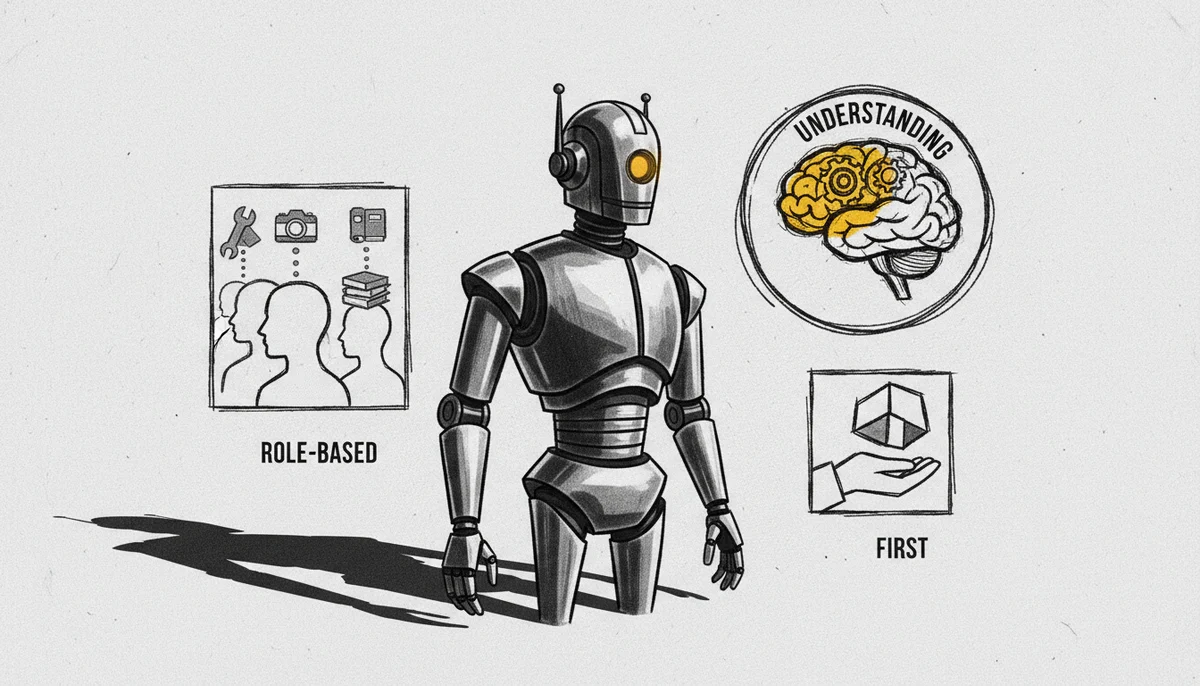
    Day 2: First Prompt Interaction

    Interact with a major chat model to understand zero-shot learning. Observe how the model handles basic instructions without prior context.

  • 3.

    Day 3: Role-Based Prompting

    Experiment with the 'Act As' framework. Assign a specific persona (e.g., 'Senior Software Engineer') to the AI to observe shifts in tone and precision.

  • 4.

    Day 4: Temperature and Top-P Settings

    Adjust generation parameters. Compare high temperature (creative/random) versus low temperature (deterministic/focused) outputs.

  • 5.

    Day 5: Chain-of-Thought (CoT) Basics

    Instruct the AI to 'think step-by-step.' Analyze how breaking down logic reduces hallucinations in mathematical and reasoning tasks.

  • 6.

    Day 6: Few-Shot Prompting

    Provide 3-5 examples within a prompt to guide the AI toward a specific formatting style or classification pattern.

  • 7.

    Day 7: Delimiters and Structured Input

    Use triple quotes, XML tags, or brackets to separate instructions from content. Practice organizing complex multi-part prompts.

  • 8.

    Day 8: Basic Text Summarization

    Provide a long article and request a bulleted summary. Experiment with length constraints (e.g., 'summarize in exactly 50 words').

  • 9.

    Day 9: Sentiment Analysis Challenge

    Build a prompt that classifies customer reviews as positive, negative, or neutral, outputting the result in a clean JSON format.

  • 10.

    Day 10: Creative Writing: Narrative Branching

    Use generative AI to co-write a short story where the user provides plot turns and the AI generates descriptive prose.

  • 11.

    Day 11: Introduction to Image Generation

    Explore text-to-image models. Learn the importance of descriptive adjectives and lighting keywords in visual prompts.

  • 12.

    Day 12: Negative Prompts in Art

    Use negative prompting to exclude specific elements (e.g., 'no trees', 'no blur') from generated images to refine visual output.

  • 13.

    Day 13: Style Transfer with AI

    Apply the style of a famous painter to a modern photo description using generative diffusion models.

  • 14.

    Day 14: AI for Code: Boilerplate Generation

    Prompt an AI to generate a basic HTML/CSS landing page layout. Evaluate the cleanliness and validity of the code.

  • 15.

    Day 15: Debugging Assistant

    Paste a broken code snippet and ask the AI to identify the error and suggest a fix. Practice iterative refinement.

  • 16.

    Day 16: Unit Test Generation

    Provide a Python function and prompt the AI to write a comprehensive suite of unit tests using the pytest framework.

  • 17.

    Day 17: Ethical AI: Identifying Bias

    Test prompts for gender or racial bias. Discuss how training data influences model stereotypes and how to mitigate them.

  • 18.

    Day 18: Hallucination Hunting

    Prompt the AI for facts about non-existent events. Analyze why models 'hallucinate' and how to verify information using RAG concepts.

  • 19.

    Day 19: Explain Like I'm Five (ELI5)

    Take a complex scientific paper and prompt the AI to explain the core concept to a 5-year-old using simple analogies.

  • 20.

    Day 20: Translation and Localization

    Translate a technical document into three different languages, focusing on maintaining cultural nuances and technical accuracy.

  • 21.

    Day 21: Introduction to LangChain

    Explore the LangChain framework. Understand how to 'chain' multiple AI calls together to complete complex workflows.

  • 22.

    Day 22: Building a Simple Chatbot

    Use a Python script to connect to an LLM API and maintain a conversation history in a loop.

  • 23.

    Day 23: Retrieval-Augmented Generation (RAG) Concepts

    Learn how AI models access external data. Explore the concept of providing 'context' from a PDF or database.

  • 24.

    Day 24: Vector Databases 101

    Research how vector databases (like Pinecone or Chroma) store text as numerical embeddings for fast similarity searches.

  • 25.

    Day 25: Text Embeddings

    Generate numerical embeddings for a list of sentences and visualize how similar meanings cluster together in vector space.

  • 26.

    Day 26: Building a Personal Document Search

    Practical: Use a vector store to allow an LLM to answer questions about a specific set of local text files.

  • 27.

    Day 27: Understanding Context Windows

    Experiment with token limits. See what happens when a prompt exceeds the model's maximum context length.

  • 28.

    Day 28: Prompt Chaining for Workflows

    Design a 3-step prompt chain: 1) Brainstorm ideas, 2) Outline the best idea, 3) Write the introduction.

  • 29.

    Day 29: AI for Data Analysis

    Upload a CSV file to an AI data analyst tool. Request a correlation matrix and a trend analysis visualization.

  • 30.

    Day 30: Fine-Tuning vs. RAG

    Study the pros and cons of fine-tuning a model on custom data versus using a RAG-based approach for knowledge retrieval.

  • 31.

    Day 31: Introduction to Auto-GPT and Agents

    Explore autonomous agents that can set their own goals and execute tasks like web searching and file management.

  • 32.

    Day 32: Building a Research Agent

    Practical: Create a script where an AI agent searches the web for a topic, synthesizes the findings, and writes a report.

  • 33.

    Day 33: Multi-Agent Systems

    Learn about frameworks like AutoGen or CrewAI where multiple AI agents (e.g., Writer, Editor, Researcher) work together.

  • 34.

    Day 34: Prompt Injection Vulnerabilities

    Learn how users can 'hack' prompts to bypass safety filters. Practice writing 'system prompts' that are resistant to injection.

  • 35.

    Day 35: Jailbreaking and Safety Alignments

    Understand the concept of RLHF (Reinforcement Learning from Human Feedback) and how it creates model guardrails.

  • 36.

    Day 36: Open Source vs. Closed Source LLMs

    Install an open-source model locally using Ollama. Compare its performance to a cloud-based API model.

  • 37.

    Day 37: Running LLMs on Consumer Hardware

    Explore quantization techniques (GGUF, AWQ) that allow massive models to run on standard laptops with limited VRAM.

  • 38.

    Day 38: Hugging Face Ecosystem

    Learn how to navigate the Hugging Face Hub. Discover how to download models, datasets, and use 'Spaces' for demos.

  • 39.

    Day 39: Intro to Diffusers Library

    Use Python to generate an image programmatically using the Hugging Face Diffusers library.

  • 40.

    Day 40: Fine-Tuning a Text Model

    Understand the basic pipeline for fine-tuning: preparing a dataset, choosing a base model, and using LoRA (Low-Rank Adaptation).

  • 41.

    Day 41: Dataset Preparation

    Practical: Clean and format a custom dataset into the JSONL format required for model fine-tuning.

  • 42.

    Day 42: Synthetic Data Generation

    Use a powerful LLM to generate 100 training examples for a smaller, niche-specific model.

  • 43.

    Day 43: Evaluating LLM Outputs

    Learn about metrics like BLEU, ROUGE, and using another LLM as a judge (LLM-as-a-Judge) to score responses.

  • 44.

    Day 44: Custom Instructions and System Messages

    Configure persistent 'Custom Instructions' to ensure every response follows a specific tone, length, and format.

  • 45.

    Day 45: AI for Personal Productivity

    Build an automated email draft generator that takes meeting notes and turns them into professional follow-ups.

  • 46.

    Day 46: Voice-to-Text with Whisper

    Use OpenAI's Whisper model to transcribe an audio file. Evaluate its accuracy against background noise and accents.

  • 47.

    Day 47: Text-to-Speech (TTS) Integration

    Convert generated text into high-quality human-like speech using ElevenLabs or open-source alternatives like Bark.

  • 48.

    Day 48: Multimodal AI: Image-to-Text

    Upload an image and prompt a Vision model (like GPT-4V or LLaVA) to describe the scene or extract text from it.

  • 49.

    Day 49: Generating Presentations

    Prompt an AI to create a slide-by-slide outline and content for a 10-minute presentation on a technical topic.

  • 50.

    Day 50: Mid-Point Challenge: The Personal Wiki

    Build a functional system that allows you to chat with your own personal notes from the last 50 days.

  • 51.

    Day 51: Introduction to AI Video

    Explore text-to-video tools. Understand how prompts influence motion, camera angles, and temporal consistency.

  • 52.

    Day 52: Storyboarding with AI

    Generate a visual storyboard for a 30-second commercial using consistent character prompts across multiple images.

  • 53.

    Day 53: AI in Marketing: Copywriting

    Practice the AIDA (Attention, Interest, Desire, Action) framework by generating high-converting ad copy for a product.

  • 54.

    Day 54: SEO and Content Optimization

    Use AI to analyze a blog post for keyword density and suggest improvements for search engine ranking.

  • 55.

    Day 55: Building an AI News Aggregator

    Practical: Write a script that scrapes headlines, summarizes them, and sends a daily digest email via AI.

  • 56.

    Day 56: Understanding Transformers: Self-Attention

    Deep dive: Learn how the 'Attention' mechanism allows models to weigh the importance of different words in a sentence.

  • 57.

    Day 57: Positional Encoding and Tokenization

    Learn how models keep track of word order and how different tokenizers (BPE, WordPiece) affect model efficiency.

  • 58.

    Day 58: AI for Excel and Google Sheets

    Learn to use formulas and plugins that integrate LLMs directly into spreadsheets for mass data cleaning.

  • 59.

    Day 59: Automating Customer Support

    Create a prompt template that classifies support tickets and generates a draft response based on a knowledge base.

  • 60.

    Day 60: JSON Mode and Function Calling

    Master 'Function Calling'—instructing the AI to output arguments for a specific function rather than conversational text.

  • 61.

    Day 61: Building a Weather Bot

    Practical: Use Function Calling to allow an AI to 'call' a weather API and report real-time data to the user.

  • 62.

    Day 62: Introduction to LlamaIndex

    Explore LlamaIndex for connecting LLMs to diverse data sources like Slack, Notion, and Discord.

  • 63.

    Day 63: Advanced RAG: Re-ranking

    Learn how to use a 'Re-ranker' model to improve the accuracy of documents retrieved from a vector database.

  • 64.

    Day 64: Semantic Search vs. Keyword Search

    Compare traditional keyword searching to semantic (meaning-based) searching using embeddings.

  • 65.

    Day 65: Creating an AI-Powered Quiz

    Practical: Feed a textbook chapter into an LLM and have it generate 10 multiple-choice questions with an answer key.

  • 66.

    Day 66: AI for Language Learning

    Setup a roleplay prompt where the AI acts as a language tutor, correcting your grammar in real-time.

  • 67.

    Day 67: Prompt Version Control

    Learn why and how to version your prompts like code using tools like PromptLayer or simple Git workflows.

  • 68.

    Day 68: Cost Management and Token Tracking

    Calculate the cost of running a high-volume AI application. Learn strategies for optimizing token usage to save money.

  • 69.

    Day 69: Introduction to MLOps for GenAI

    Study the lifecycle of an AI model from development to production monitoring and continuous improvement.

  • 70.

    Day 70: Evaluation Frameworks: DeepEval

    Use an evaluation framework to run 'unit tests' on your LLM outputs to ensure they remain consistent after prompt changes.

  • 71.

    Day 71: Ethics: Deepfakes and Misinformation

    Analyze the technology behind deepfakes and discuss the societal implications of AI-generated misinformation.

  • 72.

    Day 72: Privacy and Data Anonymization

    Practice removing PII (Personally Identifiable Information) from a dataset before sending it to a cloud LLM API.

  • 73.

    Day 73: AI in Healthcare: Use Cases

    Explore how generative AI is used for medical note summarization and drug discovery within strict regulatory limits.

  • 74.

    Day 74: AI for Legal Document Analysis

    Prompt an AI to identify high-risk clauses in a standard Terms of Service or Non-Disclosure Agreement.

  • 75.

    Day 75: Building an AI Discord Bot

    Practical: Integrate an LLM with Discord to create a community assistant that answers member questions.

  • 76.

    Day 76: Prompting for UI/UX Design

    Use AI to generate user personas, wireframe descriptions, and microcopy for a new mobile application.

  • 77.

    Day 77: Creating AI Music and Soundscapes

    Explore tools that generate royalty-free background music or sound effects from text descriptions.

  • 78.

    Day 78: Voice Cloning Ethics

    Study the mechanics of voice cloning. Discuss the balance between creative utility and the risk of fraud.

  • 79.

    Day 79: Long-Context Strategies

    Learn about 'Lost in the Middle' phenomena and how to structure prompts so the most important info is at the beginning or end.

  • 80.

    Day 80: Multi-Step Logic: ReAct Framework

    Learn the ReAct (Reason + Act) pattern where the AI documents its thoughts before taking an action.

  • 81.

    Day 81: AI-Powered Research Assistant

    Practical: Use tools like Perplexity or custom API scripts to automate the gathering of citations for a blog post.

  • 82.

    Day 82: Content Moderation with AI

    Build a prompt that scans user-generated comments for hate speech, spam, or self-harm, flagging them for human review.

  • 83.

    Day 83: LLM Benchmarking: Open LLM Leaderboard

    Learn how to read benchmarks like MMLU, GSM8K, and HumanEval to choose the right model for your task.

  • 84.

    Day 84: Fine-Tuning Vision Models

    Understand the basics of fine-tuning an image model (like Stable Diffusion) on a specific face or art style using LoRA.

  • 85.

    Day 85: 3D Object Generation with AI

    Explore experimental models that generate 3D meshes and textures from simple text descriptions.

  • 86.

    Day 86: Personal AI Brand Identity

    Use AI to generate a cohesive brand: Logo descriptions, color palettes, and a mission statement for a fictional company.

  • 87.

    Day 87: Building a Chrome Extension

    Practical: Use AI to write a simple Chrome extension that summarizes the current webpage with a single click.

  • 88.

    Day 88: Prompt Engineering for Games

    Design an AI Dungeon Master that manages inventory, health points, and narrative flow for a text-based RPG.

  • 89.

    Day 89: AI for Accessibility

    Learn how AI can generate alt-text for images, simplify complex text for cognitive disabilities, and provide audio descriptions.

  • 90.

    Day 90: Governance and AI Regulations

    Study international frameworks (like the EU AI Act) and how they impact the development of generative models.

  • 91.

    Day 91: Scaling AI Applications

    Learn about load balancing for AI APIs, caching common responses, and using 'small models' for simple tasks.

  • 92.

    Day 92: Advanced Prompt Chaining: State Machines

    Design a complex workflow using a state machine where the AI moves through different 'modes' based on user input.

  • 93.

    Day 93: Evaluating RAG Pipelines with RAGAS

    Use the RAGAS framework to measure Faithfulness, Answer Relevance, and Context Precision in your RAG system.

  • 94.

    Day 94: AI for Strategic Planning

    Use AI to perform a SWOT analysis (Strengths, Weaknesses, Opportunities, Threats) for a business idea.

  • 95.

    Day 95: Future Horizons: AGI and Beyond

    Explore the theoretical concepts of Artificial General Intelligence (AGI) and what it means for the future of work.

  • 96.

    Day 96: Low-Code AI Integration

    Integrate an LLM into a workflow using tools like Make.com or n8n without writing custom backend code.

  • 97.

    Day 97: Building an AI Portfolio

    Curate your best projects from the last 97 days into a GitHub repository or personal website.

  • 98.

    Day 98: Model Distillation Concepts

    Learn how 'Teacher' models (large) can train 'Student' models (small) to perform specific tasks with high efficiency.

  • 99.

    Day 99: Final Project: The AI Agent Solution

    Construct a complete, end-to-end autonomous agent that solves a specific problem (e.g., a travel planner or code reviewer).

  • 100.

    Day 100: Reflection and Continuous Learning

    Review the journey. Document your key learnings and set goals for staying updated in the ever-evolving field of AI.

Disclaimer

This content may have been generated with the assistance of AI tools. While we strive for accuracy, please verify important information independently. If you notice any errors or have concerns, please contact us.

More from the Ledger

Explore All

Archived for the Perpetual Record

No. 2025-LP-PIE|ADM_REF_IDX